From your invitation code to your first activity.
Eight steps in VS Code, each with what you will see. All you need is the code from your teacher.
The same steps as a video
Install VS Code
The course runs inside VS Code, a free code editor for Windows, macOS and Linux. Download it from code.visualstudio.com and open it.
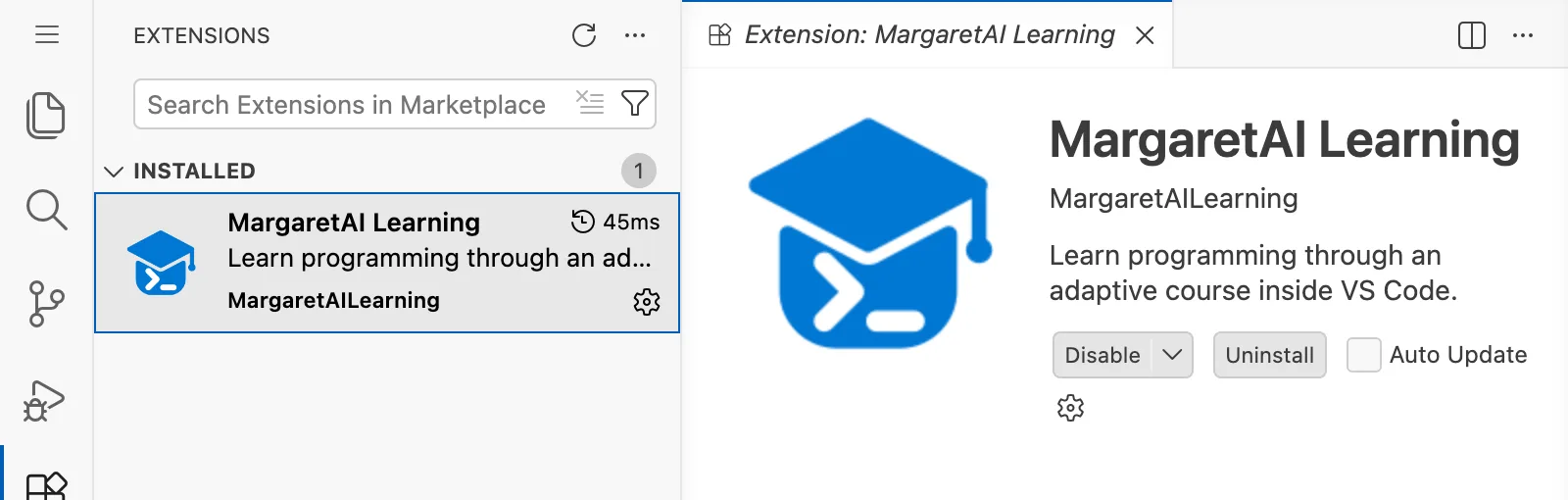
Install the extension
Open the Extensions view in VS Code, search for MargaretAI Learning and press Install.
You can also start from its page in the Marketplace.
Choose your language and enter your code
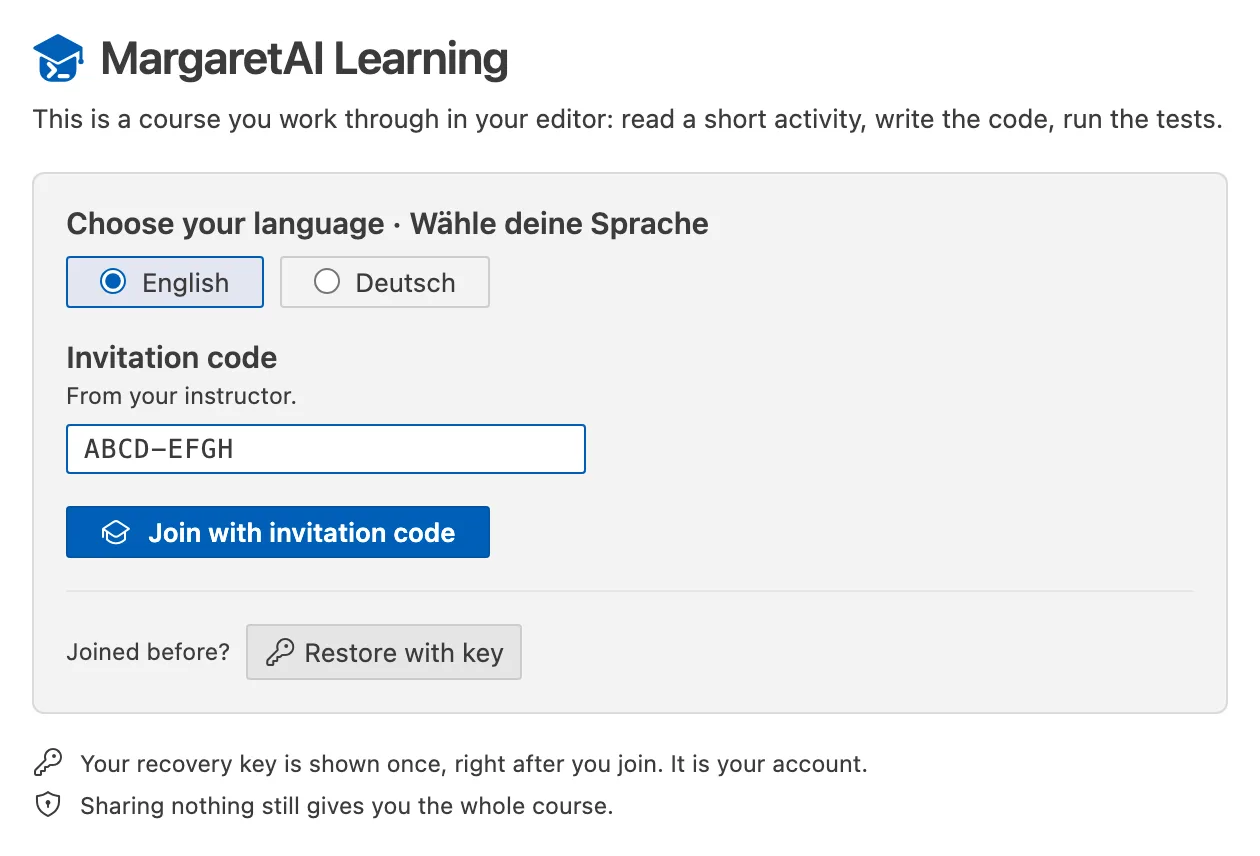
Once the extension is installed, its welcome page opens by itself.
Choose English or German, type the invitation code from your teacher and press Join with invitation code. There is no sign-up, no email and no password.
Joined before, on this or another computer? Press Restore with key instead.
Decide what you share
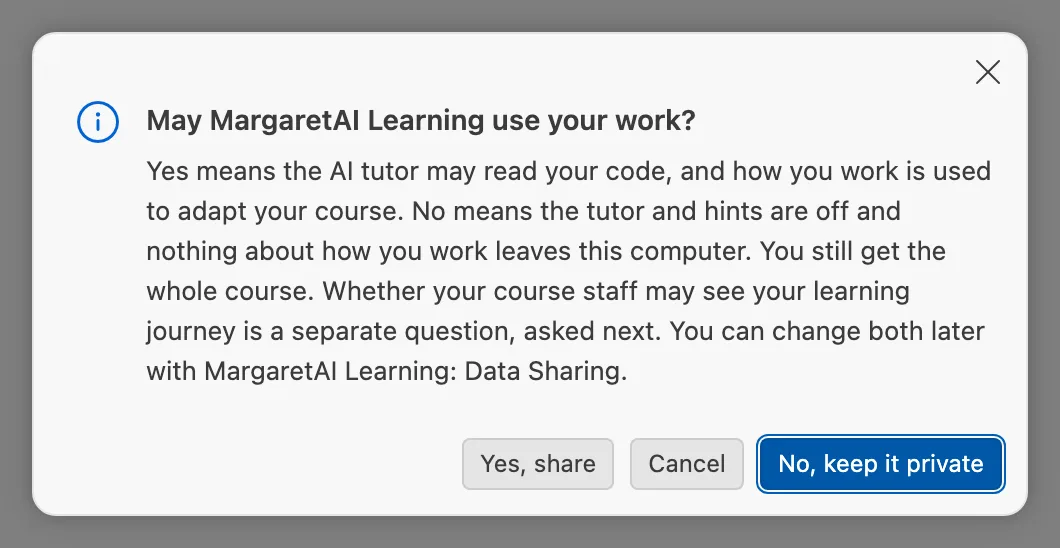
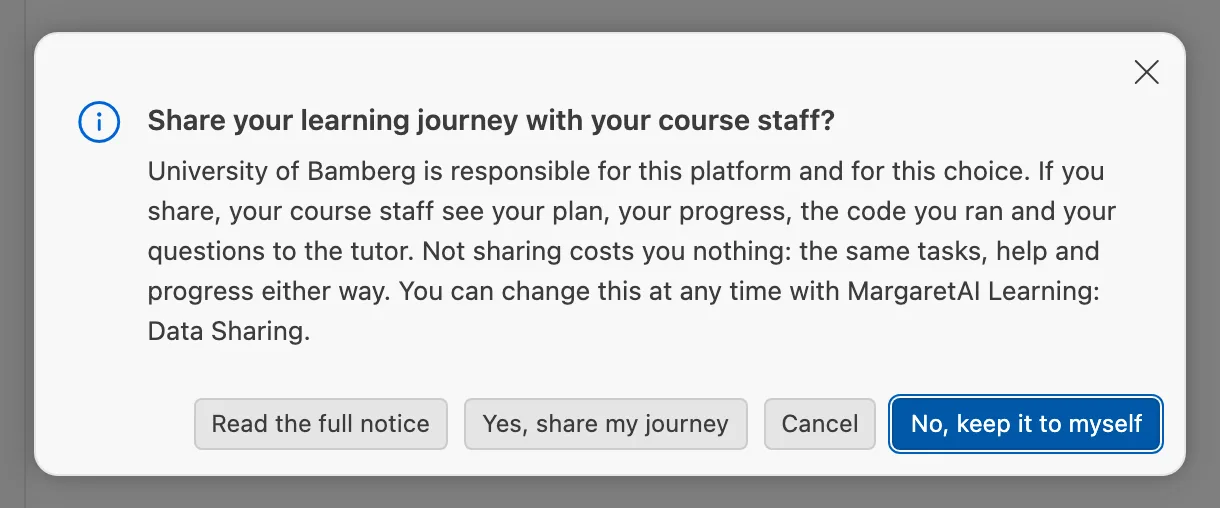
Right after joining comes one question: Share data or Do not share data.
Sharing lets the tutor read your code, adapts your course and shows your course staff your learning journey. No is the default. If you say no, one note explains how your data would help research.
Not sharing still gives you the whole course, only without the tutor. Change it any time with MargaretAI Learning: Data Sharing.
Save your recovery key
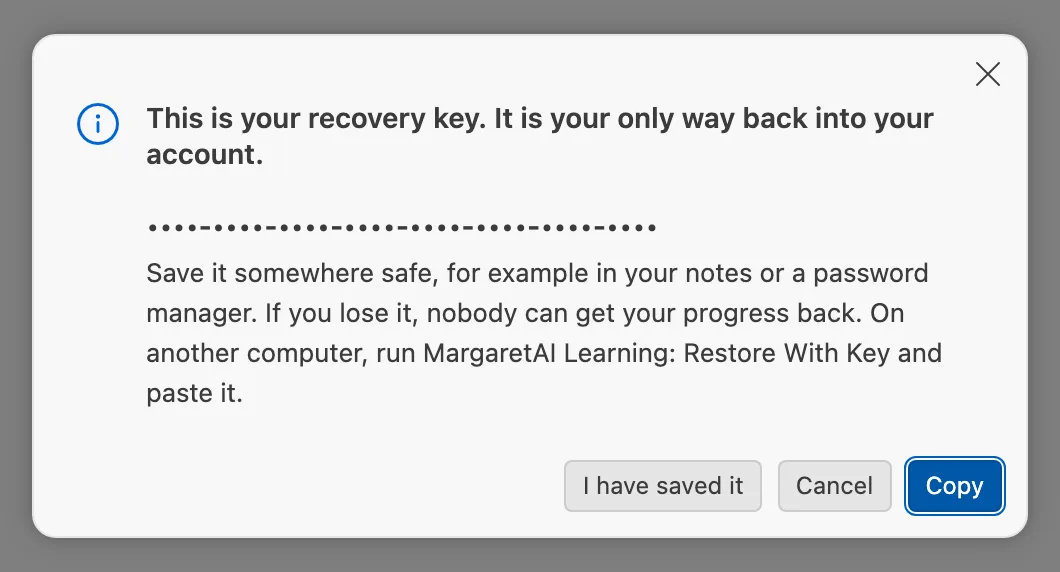
Then you see your recovery key, once. It is your account: nobody can look it up for you, not even your teacher.
Save it somewhere safe, for example in your notes or a password manager, then press I have saved it.
On another computer, run MargaretAI Learning: Restore With Key and paste it. On this one, MargaretAI Learning: Show Recovery Key shows it again.
Say what you want to build
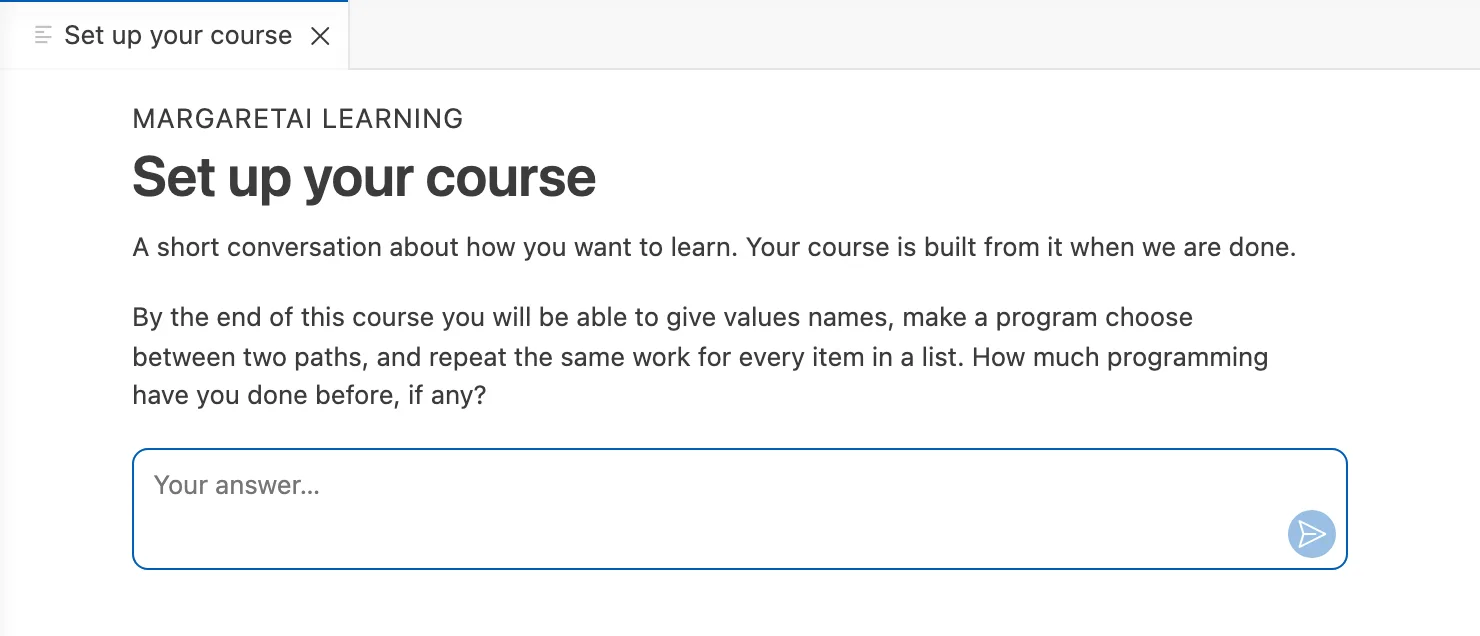
A short chat opens in the editor. It asks short questions, one at a time, about what you have done before and what you want to build.
Pick a suggested answer or write your own. When the chat is done, your course is built from it, which takes a moment.
Start your first activity
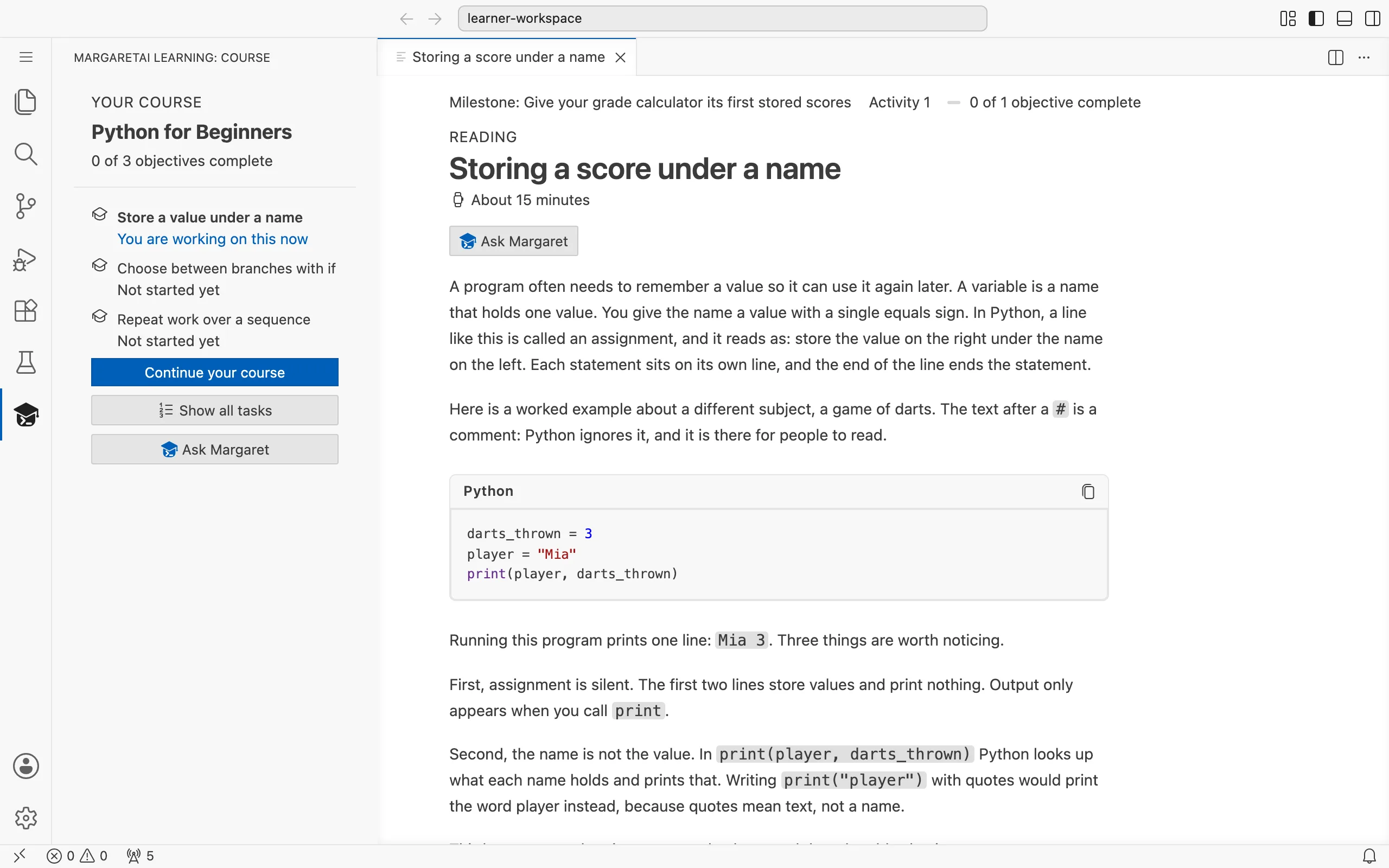
When your course is ready, the first activity opens by itself, often a short reading. A coding task comes with a file to write in and a Check my code button.
The tests run on your own computer and tell you what already works. Once they pass, Next activity takes you on.
Find your course and your tutor
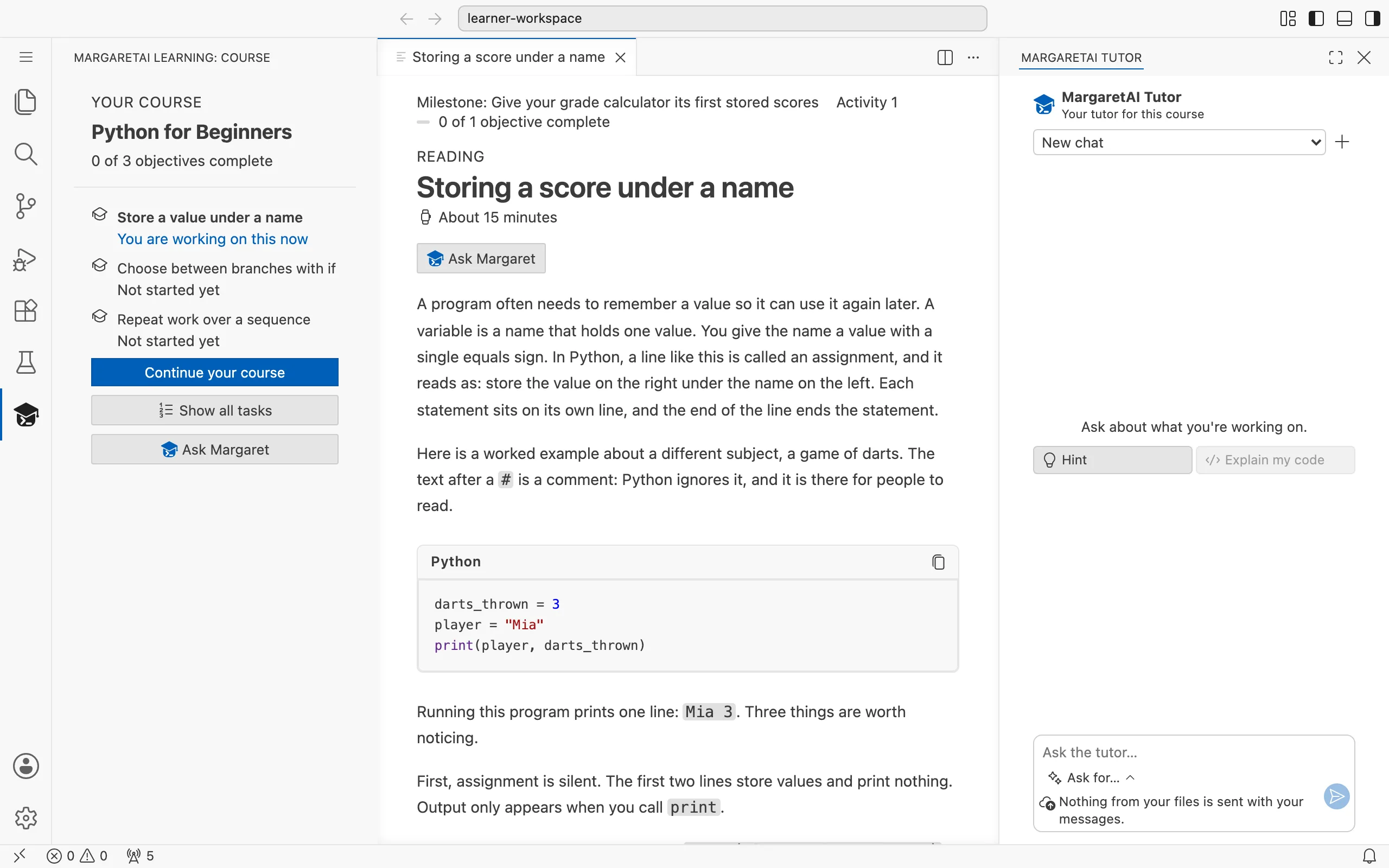
Your course is in the side bar, behind the MargaretAI icon on the far left. It lists your learning objectives and takes you back to your current activity.
The tutor is in the secondary side bar on the right, on the tab MargaretAI Tutor. Ask Margaret opens it from the course and from every activity.
Every command is in the Command Palette: type MargaretAI to see them.
Got your code?
Install the extension, and its welcome page takes it from there.
Get the extension